
One system, shared by design and engineering.
Tokens, components and usage rules that live in both Figma and code — so the interface stays consistent as more people contribute to it.
- Design tokens
- Component library
- Documentation
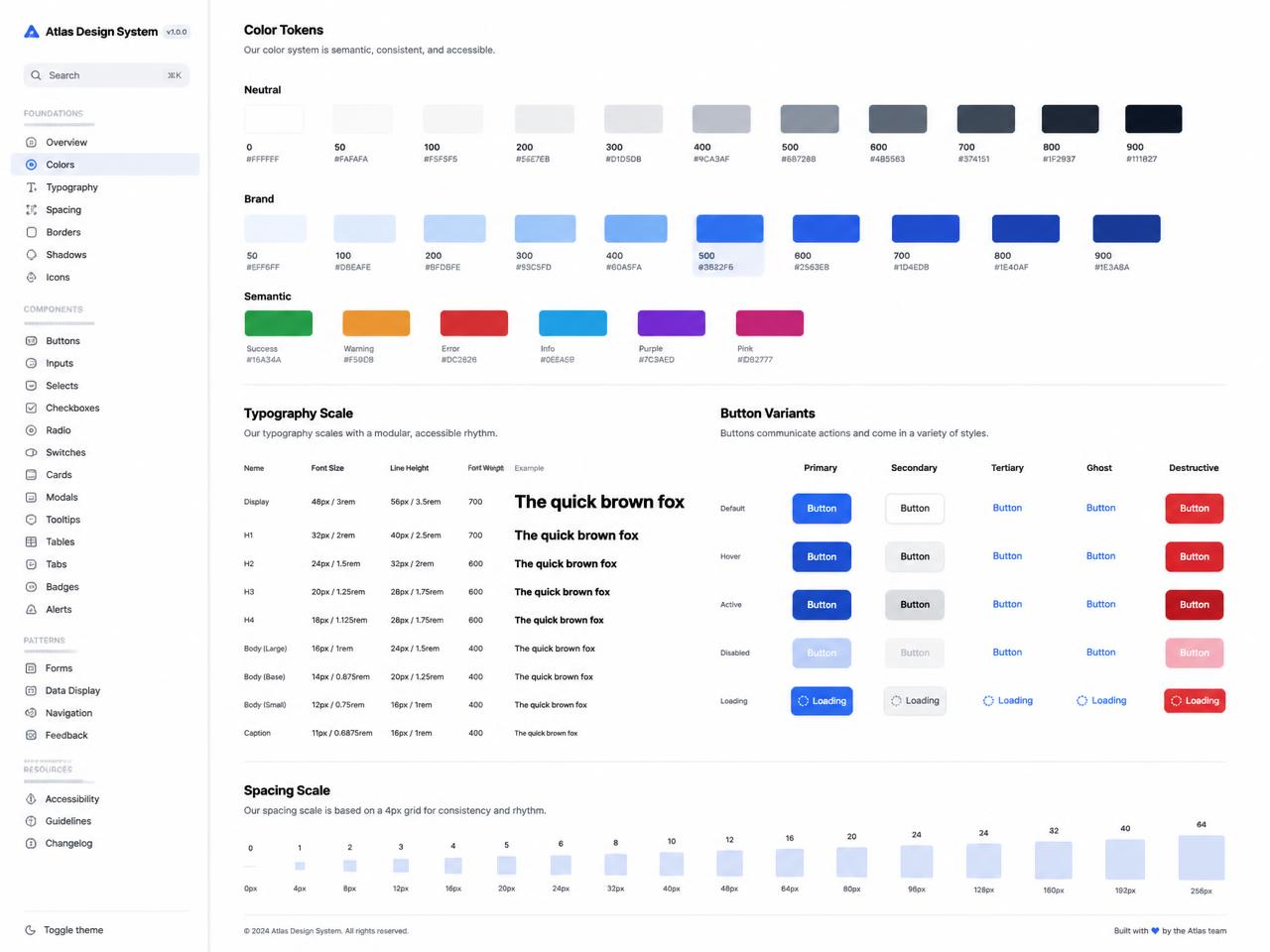
Token-driven component libraries that keep design and code in agreement.
Consistency that survives team growth.
Design drift is a maintenance problem. A system fixes it by making the correct option the easiest one to reach in both tools.
Why it matters
Without a system, every new screen re-decides spacing, colour and behaviour. A design system turns those decisions into infrastructure.
What we build
Token architecture, component libraries in Figma and code, documentation, accessibility rules, theming and adoption support.
Who it is for
Product teams with several designers or developers, companies with multiple products, and teams whose UI has drifted apart.
What we handle from strategy to delivery.
Six areas we take responsibility for on design systems engagements — no handoff gaps between them.
- 01
Interface audit
Inventory of existing components, colours and inconsistencies.
- 02
Token architecture
Semantic colour, spacing, radius and typography scales.
- 03
Component library
Figma components matched one-to-one with coded ones.
- 04
Accessibility standards
Contrast, focus, keyboard behaviour and ARIA baked in.
- 05
Documentation
Usage rules, do/don't guidance and live examples.
- 06
Adoption & governance
Migration plan, contribution model and versioning.
Standards we hold every design systems project to.
- Single source
- Figma and code in sync
- Themeable
- Semantic tokens, no hardcoding
- Accessible
- WCAG AA components
- Documented
- Live usage examples
From first conversation to a product that is ready to grow.
01 — Discover
We learn the users, the business goals and where the current experience breaks down.
We review requirements, existing analytics, competitors and user needs to understand where design systems will create the most value. Nothing is proposed before the problem is clear.
Deliverables
- Research findings
- Problem statement
- Success metrics
Typical activities
- User interviews
- Analytics and support review
- Competitive audit
Success criteria
A clear, shared understanding of the problem, scope and expected outcome.
02 — Define
We structure the product around real journeys before any visual decisions are made.
We turn research into a clear product direction, priorities and information architecture. Scope, sequencing and technical direction are agreed in writing before work starts.
Deliverables
- User flows
- Information architecture
- Priority list
Typical activities
- Journey mapping
- Content structuring
- Scope agreement
Success criteria
Everyone understands what is being built, in what order, and why.
03 — Design
We move from low-fidelity structure to high-fidelity interfaces with every state considered.
We translate the agreed structure into a polished, responsive interface — every state, breakpoint and edge case included, reviewed together as we go.
Deliverables
- Wireframes
- High-fidelity screens
- Component library
Typical activities
- Wireframing
- Visual design
- Design critique
Success criteria
The experience is validated and ready for implementation.
04 — Build
We produce interactive prototypes and the specifications engineering needs to implement accurately.
We turn approved designs into production-ready software using maintainable components and a scalable architecture. You see working software throughout, not just at the end.
Deliverables
- Clickable prototype
- Specs and tokens
- Asset export
Typical activities
- Prototyping
- Handoff preparation
- Developer walkthrough
Success criteria
The product works reliably across the required devices and scenarios.
05 — Validate
We test the design with target users and revise based on observed behaviour, not preference.
We test the product against the real requirements, profile performance and surface issues before launch rather than after it.
Deliverables
- Usability findings
- Prioritised revisions
- Updated screens
Typical activities
- Task-based testing
- Synthesis
- Iteration
Success criteria
Critical issues are resolved and the product is ready for launch.
06 — Launch
We support implementation, review the built product and refine the details that only appear in code.
We deploy, review the built product in production and refine the details that only appear in the real thing. Monitoring and handover happen at the same time.
Deliverables
- Design QA report
- Final component set
- Documentation
Typical activities
- Implementation review
- Design QA
- Ongoing support
Success criteria
The product is live, verified, documented and ready for users.
Everything handed over, nothing locked away.
Concrete output at the end of a design systems engagement — code, assets and documentation you own.
The stack we reach for first.
Chosen per project constraints — this is the starting point, not a rule.
Frontend
- React
- TypeScript
Styling
- Tailwind CSS
- Radix UI
Design
- Figma
- Storybook
Interfaces designed with intent.
Selected projects built with the same approach, team and standards.
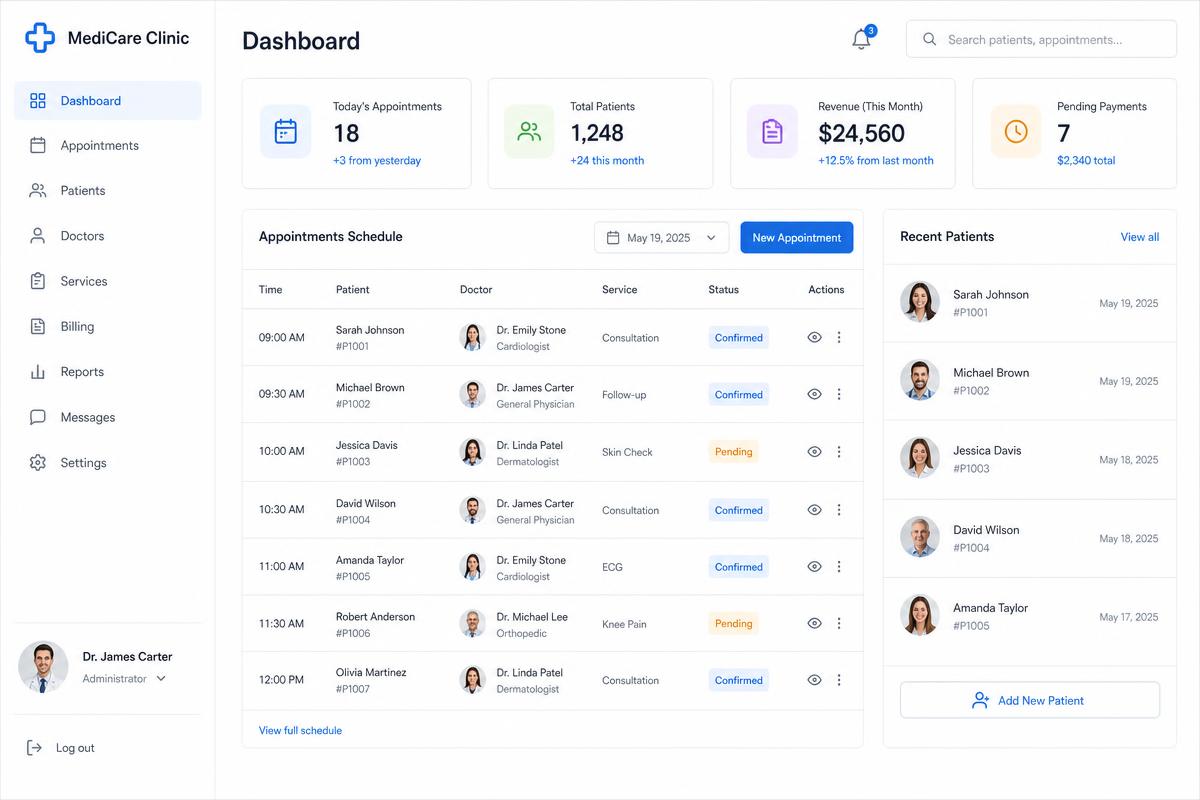
Doctor's Management System
Pocket MD
A clinic management system covering appointments, patient records, prescriptions and billing in one workspace.
- React
- Node.js
- MongoDB
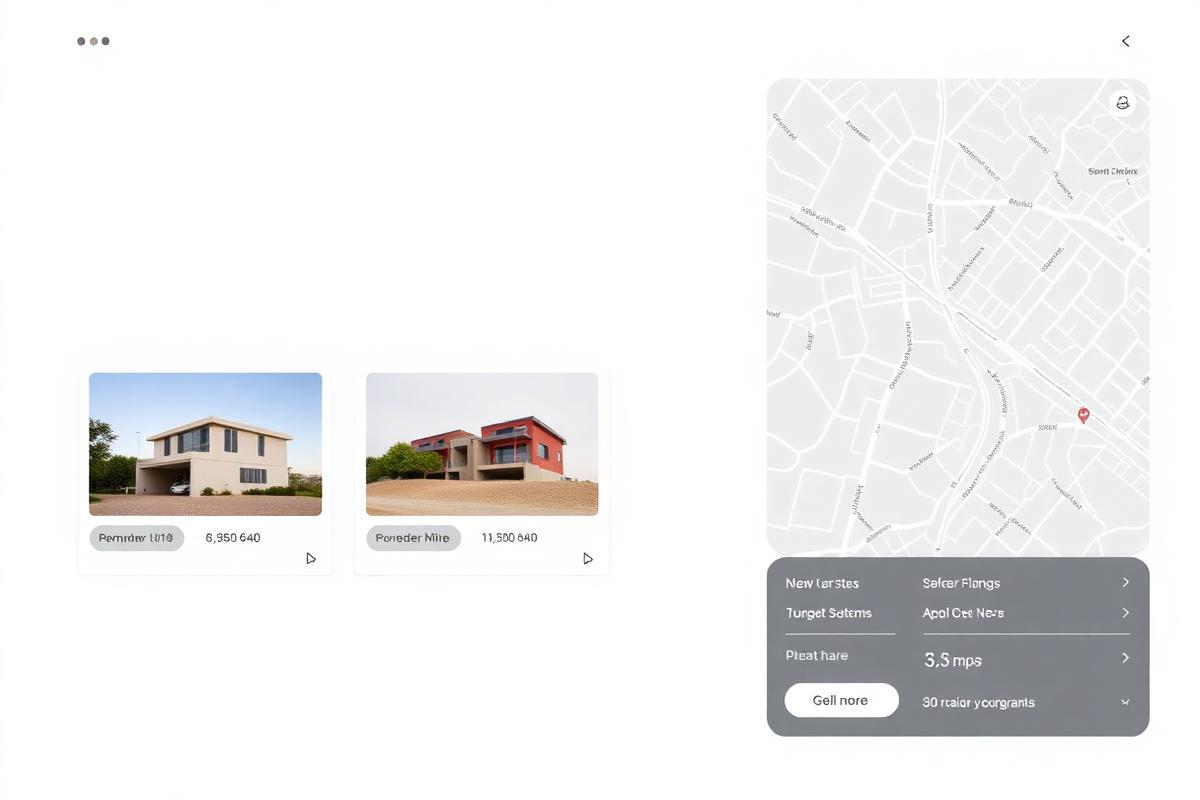
Property Listing Platform
Real Estate Platform
A property marketplace with map-based search, saved listings and an agent dashboard for lead management.
View project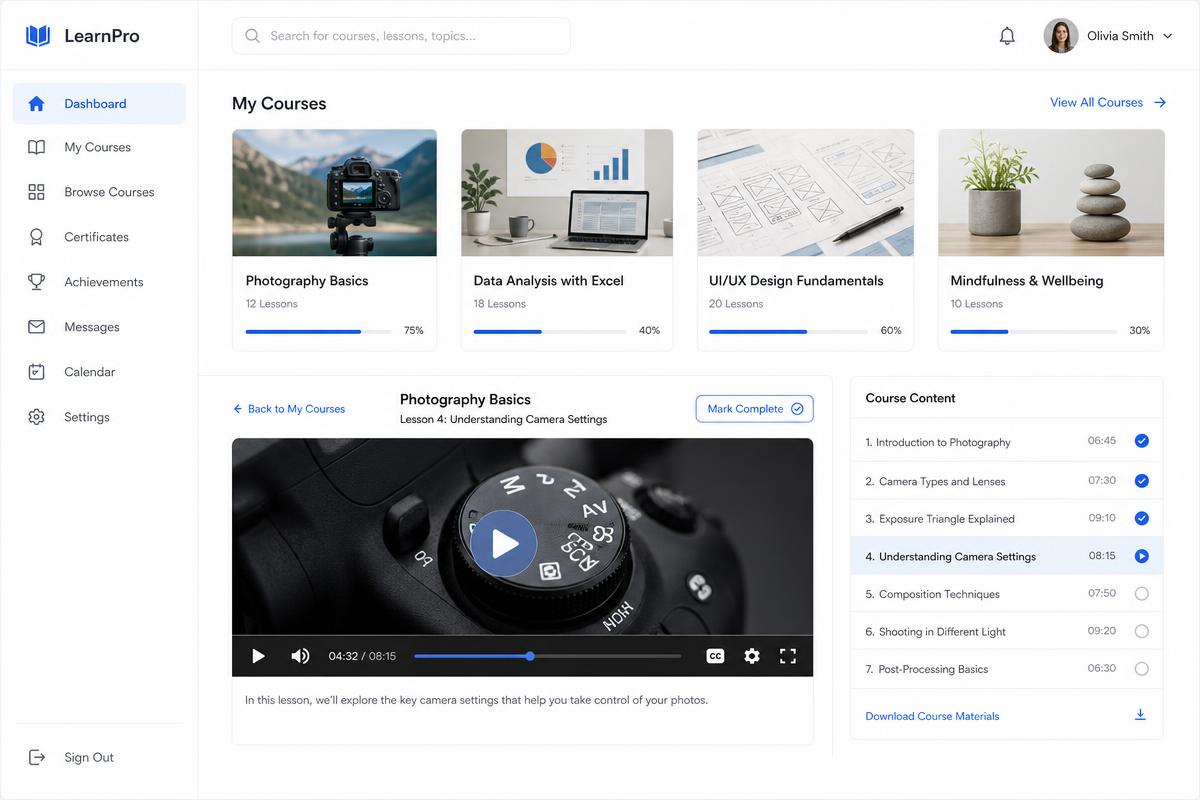
Online Learning Solution
E-Learning Platform
A course platform with video lessons, progress tracking, assessments and instructor analytics.
View projectOutcomes, not just output.
Clients stay because the work reduces risk and cost after launch, not only because it looks good at handover.
- 01
Less rework
Components are decided once and reused everywhere.
- 02
Faster decisions
Designers assemble instead of re-deciding fundamentals.
- 03
Better performance
Consistent, tested components reduce UI defects.
- 04
Clear handoff
Documentation and a contribution process.
- 05
Long-term thinking
Rebranding becomes a token change, not a rebuild.
Questions we get asked.
Still unsure about something on design systems? Ask us directly — we answer honestly, even when the answer is no.
Once you have more than one product surface or more than two contributors, it usually pays back within a quarter.
Yes. Extending a proven base is often faster and safer than building primitives from scratch.
Shared token definitions, versioned releases and a documented contribution process.
If more than a couple of people touch the UI, or you run multiple products, it usually pays back quickly.
Yes. Starting from accessible primitives and layering your brand is usually faster and safer.
Incrementally — new work uses the system, and high-traffic screens are migrated in planned batches.
Your team, with a documented contribution and versioning process. We can support during transition.
Often delivered together.
Product Design
Interface and interaction design grounded in real user tasks and business goals.
View servicePrototyping
Clickable and coded prototypes that test an idea before committing a build budget.
View serviceWeb Applications
Complex, data-heavy web apps with reliable state, auth and role-based access.
View service
Ready to build something better?
Tell us what you are trying to build. We'll help you figure out the right next step — scope, sequence and what it realistically takes.
Have a project in mind?
Let’s build something amazing together.
Stay in the loop.
Get useful insights on technology, digital products, AI and web development delivered to your inbox.